
Introduction
A power bank is only useful when it has enough stored energy to charge your devices. While charging a power bank may seem straightforward, using the correct charger, cable, and charging habits can improve performance, extend battery life, and help keep the battery in good condition over time.
Many people ask questions such as:
- Should I use a fast charger?
- Can I use my phone charger?
- How long does it take to charge a power bank?
- Is it safe to leave it charging overnight?
The answers depend on your power bank’s specifications and how you charge it.
Quick Answer
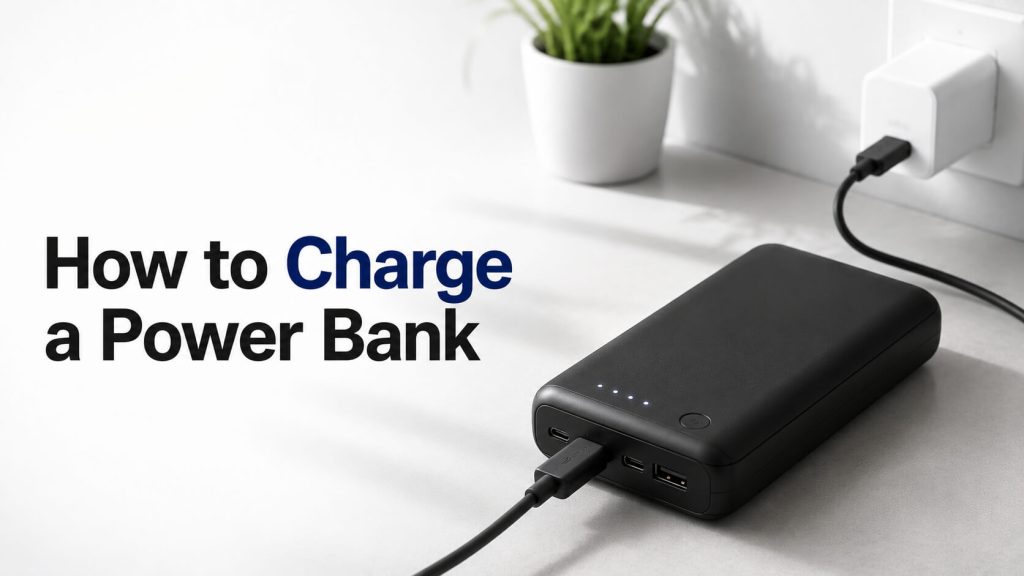
To charge a power bank, connect it to a compatible wall charger using the recommended USB cable. Plug the cable into the power bank’s input port, connect the charger to a power outlet, and wait until the charging indicator shows that the battery is fully charged. Most modern power banks automatically stop charging once the battery reaches full capacity.
If you’re new to portable chargers, read our complete Power Banks and Portable Charging guide to understand how they work, how to choose the right model, and how to use them safely.
In this guide, you’ll learn the correct way to charge a power bank, how long charging usually takes, which chargers work best, and the most important charging practices to help maximize battery life.
Why Proper Charging Matters
Charging a power bank correctly is about more than simply filling its battery.
Proper charging helps:
- Maintain battery health
- Improve charging efficiency
- Reduce unnecessary heat
- Extend battery lifespan
- Support consistent charging performance
- Lower the risk of battery damage
Modern power banks include built-in protection circuits, but good charging habits still play an important role in long-term reliability.
What You Need Before Charging a Power Bank
Before you begin charging, make sure you have the correct equipment.
A Compatible Wall Charger
Use a charger that matches the input specifications recommended by the power bank manufacturer.
Many modern power banks support USB-C charging, while some older models still use Micro-USB.
If your power bank supports fast charging technologies such as USB Power Delivery (PD), using a compatible charger can reduce charging time.
A High-Quality Charging Cable
The charging cable affects both charging speed and charging stability.
Choose a durable cable that supports the charging standard required by your power bank.
Damaged or low-quality cables may result in slower charging or unreliable performance.
A Suitable Power Source
For the best results, connect your charger to a reliable wall outlet.
Although some power banks can be charged through a laptop’s USB port, charging is generally much slower because USB ports often provide lower power output than wall adapters.
Step-by-Step: How to Charge a Power Bank
Following the correct charging procedure helps ensure safe and efficient operation.
Step 1: Check the Input Port
Locate the power bank’s charging input.
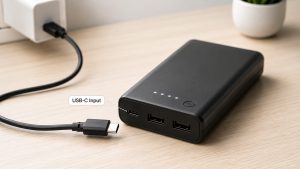
Depending on the model, it may use:
- USB-C
- Micro-USB
- Lightning (less common)
Using the correct input port prevents connection issues and ensures proper charging.
Step 2: Connect the Charging Cable
Insert one end of the charging cable into the power bank’s input port.
Connect the other end to your wall charger.
Make sure both ends are securely connected before turning on the power supply.
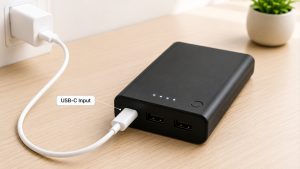
Step 3: Plug the Charger Into a Wall Outlet
After connecting the cable, plug the charger into a power outlet.
Most power banks automatically begin charging as soon as they receive power.
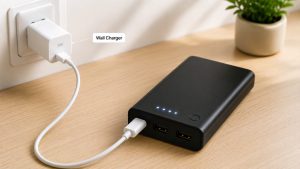
Step 4: Check the Charging Indicator
Most modern power banks include LED lights or a digital display that shows the charging status.
Typically:
- Blinking LEDs indicate charging is in progress.
- Solid LEDs usually indicate the battery is fully charged.
Always refer to your manufacturer’s manual, as indicator behaviour may vary between models.

Step 5: Disconnect After Charging
Once the charging indicator confirms the battery is fully charged, disconnect the charger from the wall outlet and remove the charging cable.
Most modern power banks include automatic charge protection, but disconnecting the charger after a full charge is still a good practice for long-term battery care.
Can You Use a Phone Charger to Charge a Power Bank?
In many cases, yes.
If your phone charger provides the correct output and uses a compatible connector, it can safely charge your power bank.
However, charging speed depends on:
- Charger wattage
- Charging protocol
- Cable quality
- Power bank input specifications
Using a higher-wattage charger will not necessarily damage your power bank, as quality models are designed to draw only the amount of power they are built to accept.
Want to understand how a power bank regulates incoming electricity? Read How Power Bank Works to learn how its charging controller and protection circuits manage power safely.
How Long Does It Take to Charge a Power Bank?
The time required to fully charge a power bank depends on several factors, including its battery capacity, the charger’s output, and whether it supports fast charging.
Smaller power banks generally charge more quickly, while higher-capacity models naturally take longer because they store more energy.
Other factors that affect charging time include:
- Battery capacity (mAh)
- Charger wattage
- USB charging standard
- Cable quality
- Charging efficiency
Using a compatible fast charger and a high-quality cable can significantly reduce charging time if your power bank supports fast charging technologies.
To understand how battery size affects charging time and real-world performance, read Power Bank Capacity Explained.
Should You Use a Fast Charger?
If your power bank supports fast charging, using a compatible fast charger is usually the best option.
Many modern models support technologies such as:
- USB Power Delivery (PD)
- Qualcomm Quick Charge (QC)
These charging standards allow the power bank to receive more power safely, reducing the overall charging time.
However, if your power bank only supports standard charging, using a higher-powered charger won’t necessarily make it charge faster. The internal charging controller automatically limits the amount of power the battery receives.
Can You Charge a Power Bank Overnight?
Yes, most modern power banks can safely remain connected after reaching a full charge because they include built-in charging protection.
Once the battery reaches full capacity, the charging controller typically stops or greatly reduces the charging current.
Even so, it is generally considered good practice to unplug the power bank after it is fully charged. Doing so can help reduce unnecessary heat and minimize long-term wear on the battery.
How Often Should You Charge a Power Bank?
There is no fixed schedule for charging a power bank.
Instead, recharge it whenever the battery level becomes low or before you expect to need it.
If you rarely use your power bank, it’s a good idea to recharge it every few months. This helps maintain battery health because lithium-based batteries perform best when they are not left fully discharged for long periods.
Regular charging also ensures the power bank is ready whenever you need backup power.
Common Mistakes to Avoid When Charging a Power Bank
Many power bank problems are caused by incorrect charging habits rather than manufacturing defects.
Avoid these common mistakes:
Using Low-Quality Charging Cables
Cheap or damaged cables can slow charging, reduce efficiency, or cause unstable power delivery.
Choose certified, high-quality cables whenever possible.
Using an Incompatible Charger
Always use a charger that matches the input specifications recommended for your power bank.
A compatible charger helps ensure safe and efficient charging.
Exposing the Power Bank to High Temperatures
Charging in extremely hot environments can reduce battery lifespan and charging performance.
Keep the power bank in a cool, well-ventilated location while charging.
Ignoring Physical Damage
If your power bank becomes swollen, cracked, or unusually hot, stop using it immediately.
Visible damage may indicate internal battery problems that could create safety risks.
Letting the Battery Stay Completely Empty for Long Periods
Leaving a lithium-based battery fully discharged for an extended time can negatively affect its long-term performance.
Recharging before the battery remains empty for too long helps maintain overall battery health.
Tips to Extend Your Power Bank’s Battery Life
Good charging habits can help your power bank remain reliable for years.
Follow these practical tips:
- Use the recommended charger whenever possible.
- Keep the power bank away from excessive heat and moisture.
- Recharge it before storing it for long periods.
- Use quality charging cables.
- Avoid dropping or damaging the device.
- Keep the charging ports clean and free from dust.
Simple maintenance can improve charging efficiency and help preserve battery capacity over time.
Does Charging While Using a Power Bank Affect Performance?
Many people charge their phone while actively using it for gaming, video streaming, or navigation.
Although this is generally safe, heavy phone usage increases power consumption, meaning the phone may charge more slowly because part of the incoming power is being used immediately.
For the fastest charging results, it’s usually best to minimize intensive tasks while the device is charging from a power bank.
Common Myths About Charging a Power Bank
Although charging a power bank is simple, many outdated myths still confuse users. Understanding the facts can help you charge your power bank safely and maintain its battery for longer.
Myth 1: You Must Fully Drain the Battery Before Recharging
Fact: This advice applied to older battery technologies, but it does not apply to modern lithium-ion or lithium-polymer batteries.
Most modern power banks perform best when recharged before the battery becomes completely empty.
Myth 2: A More Powerful Charger Will Damage the Power Bank
Fact: Quality power banks contain intelligent charging controllers that only draw the amount of power they are designed to accept.
Using a higher-wattage USB-C charger will not automatically force excess power into the battery.
Myth 3: It’s Safe to Use Any Charging Cable
Fact: Charging cables vary in quality.
A poor-quality or damaged cable may reduce charging speed, cause unstable charging, or fail to support fast charging features.
Choosing a certified, high-quality cable improves both charging efficiency and reliability.
Myth 4: You Should Keep the Power Bank Plugged In All the Time
Fact: Modern protection circuits help prevent overcharging, but leaving a power bank connected to a charger continuously is unnecessary.
Disconnecting it after reaching a full charge is a good habit that may help reduce unnecessary heat exposure over time.
Frequently Asked Questions (FAQs)
How do I know when my power bank is fully charged?
Most power banks use LED indicator lights or a digital display.
A steady light or a display showing 100% usually indicates that the battery is fully charged. Check your user manual because indicator behavior may differ between manufacturers.
Can I use my phone while charging the power bank?
Yes.
Charging your power bank and using your phone at the same time are separate activities, so there is generally no problem.
However, if you are charging your phone from the power bank while using the phone heavily, charging may take longer.
Should I charge a new power bank before using it?
Most manufacturers recommend fully charging a new power bank before its first use.
This helps ensure you begin with maximum available battery capacity and can verify that the device is functioning correctly.
Can I charge a power bank with a laptop USB port?
Yes, but it is usually much slower than using a wall charger.
Laptop USB ports generally provide less power, which increases charging time.
Why is my power bank charging slowly?
Several factors can reduce charging speed, including:
- A low-power charger
- Poor-quality charging cable
- Large battery capacity
- High ambient temperature
- Unsupported fast charging protocol
Using a compatible charger and cable often improves charging performance.
Conclusion
Charging a power bank correctly is one of the easiest ways to improve its performance, maintain battery health, and extend its lifespan.
Using a compatible charger, a high-quality cable, and proper charging habits helps ensure safe and efficient charging every time.
Understanding how long charging takes, when to recharge, and which mistakes to avoid allows you to get the best performance from your portable charger while protecting its rechargeable battery.
Whether you use a power bank every day or only during travel and emergencies, following these simple best practices will help keep it ready whenever you need reliable backup power.