
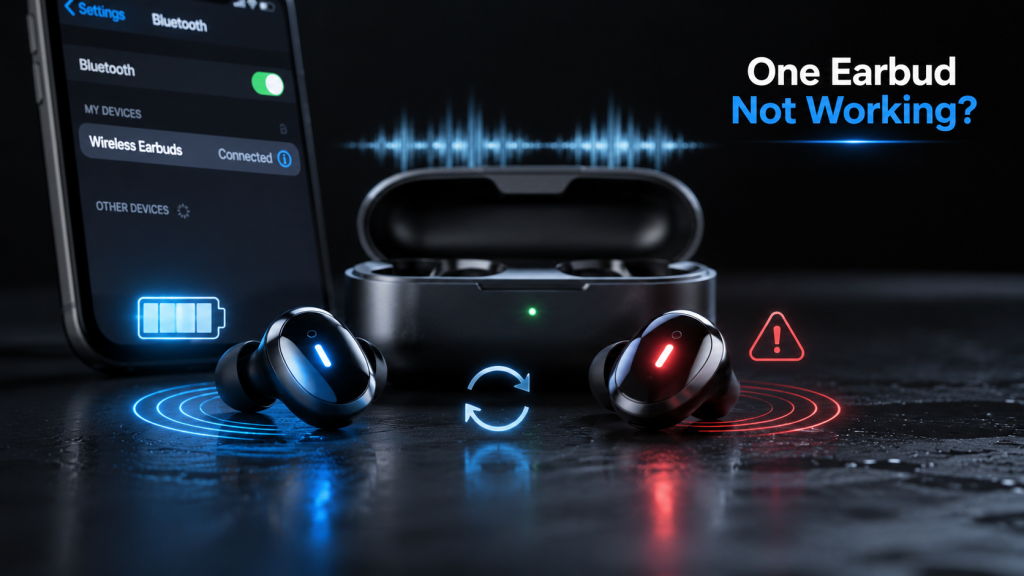
Wireless earbuds make listening to music, taking calls, and watching videos more convenient than ever. However, one of the most common problems users experience is one earbud not working. It can be frustrating when only one side produces sound while the other remains silent, especially if the earbuds were working perfectly before.
The good news is that this issue is often easy to fix. In many cases, the problem is caused by a charging issue, Bluetooth syncing error, dirt blocking the speaker, or outdated firmware rather than permanent damage. This guide explains the most common reasons why one earbud not working occurs and provides step-by-step solutions to restore both earbuds.
Why Is One Earbud Not Working?
Before attempting any fixes, it helps to understand what may have caused the issue. Wireless earbuds rely on multiple components working together, including the battery, charging contacts, Bluetooth connection, and internal software.
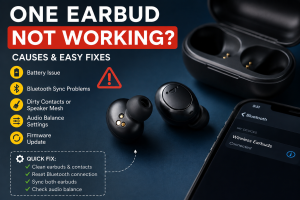
Common causes include:
- One earbud has a dead battery.
- Charging pins are dirty or blocked.
- Bluetooth pairing failed.
- Earbuds are out of sync.
- Audio balance settings are incorrect.
- Firmware needs updating.
- Physical damage from drops or water exposure.
Identifying the cause makes troubleshooting much easier.
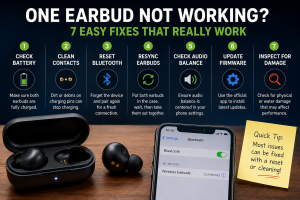
Check the Battery When One Earbud Not Working
One of the simplest explanations is that one earbud has not charged properly.
Even if the charging case appears full, one earbud may not be making proper contact with the charging pins. Dust, lint, or earwax can prevent charging without you noticing.
How to check
- Place both earbuds inside the charging case.
- Confirm that the charging LEDs activate.
- Leave them charging for at least 30–60 minutes.
- Test both earbuds again.
If one earbud still has no power, inspect the charging contacts carefully.
Clean the Charging Contacts
Dirty charging contacts are among the leading reasons for uneven charging.
Small amounts of debris can stop electrical contact between the charging pins and the earbud.
Safe cleaning steps
- Remove both earbuds.
- Use a dry microfiber cloth.
- Gently clean the metal charging contacts.
- Use a soft cotton swab for stubborn dirt.
- Allow everything to dry before charging again.
Avoid using excessive liquid, sharp tools, or metal objects that could damage the contacts.
Reset Bluetooth When One Earbud Not Working
Bluetooth glitches frequently cause only one earbud to connect properly.
Resetting the Bluetooth connection often restores normal performance.
Steps
- Turn off Bluetooth on your phone.
- Forget the earbuds from the Bluetooth settings.
- Place both earbuds inside the charging case.
- Reset the earbuds according to the manufacturer’s instructions.
- Pair them again as a new device.
A fresh connection solves many syncing problems.
Fix Syncing Problems When One Earbud Not Working
Many true wireless earbuds designate one earbud as the primary connection. If synchronization fails, only one side may produce sound.
Try these fixes
- Return both earbuds to the charging case.
- Wait about 20 seconds.
- Remove both earbuds simultaneously.
- Wait for them to connect with each other before connecting to your phone.
Some brands automatically resynchronize during this process.
Check Audio Balance Settings
Sometimes the earbuds are working correctly, but your phone sends all audio to one side.
This can happen after software updates or accidental setting changes.
On Android
Go to:
Settings → Accessibility → Audio Balance
Ensure the balance slider is centered.
On iPhone
Go to:
Settings → Accessibility → Audio/Visual
Verify that the Left and Right balance is set to the middle.
Even a slight adjustment can make one earbud appear silent.
Clean the Speaker If One Earbud Not Working
Earwax and debris can completely block the tiny speaker opening.
The earbud may actually be working, but the sound cannot pass through the blocked mesh.
Cleaning tips
- Remove the silicone ear tip.
- Brush away loose debris with a soft brush.
- Wipe gently with a dry microfiber cloth.
- Allow the earbud to dry before using it.
Never insert needles or pins into the speaker mesh, as this can permanently damage the internal components.
Update Firmware When One Earbud Not Working
Many modern earbuds receive firmware updates that improve Bluetooth stability and fix known bugs.
Manufacturers regularly release updates to improve pairing reliability and battery management.
Update process
- Install the official app for your earbuds.
- Connect both earbuds.
- Check for available firmware updates.
- Keep both earbuds inside the charging case if instructed.
- Wait until the update completes.
Interrupting the update may cause additional problems.
Test One Earbud on Another Device
Testing another device helps determine whether the problem comes from the earbuds or your phone.
Connect the earbuds to:
- Another smartphone
- Tablet
- Laptop
- Smart TV
If both earbuds work elsewhere, the issue likely involves your original device’s Bluetooth settings rather than the earbuds themselves.
Inspect for Physical Damage
If none of the software fixes work, examine the earbuds for physical damage.
Look for:
- Cracks
- Loose speaker mesh
- Bent charging contacts
- Water damage
- Corrosion
- Burn marks
Physical damage usually requires repair or replacement.
When One Earbud Not Working After Water Exposure
Many earbuds offer water resistance, but not all are waterproof.
Exposure to rain, sweat, or accidental drops into water can affect internal electronics.
If moisture is suspected:
- Turn off the earbuds immediately.
- Dry the exterior completely.
- Leave them in a dry, well-ventilated area for at least 24 hours.
- Avoid charging until fully dry.
Charging wet electronics may cause permanent damage.
Brand-Specific Tips for One Earbud Not Working
Different brands may require slightly different troubleshooting methods.
Apple AirPods
Reset the AirPods using the setup button on the charging case and reconnect them through Bluetooth.
Samsung Galaxy Buds
Use the Galaxy Wearable app to update firmware and perform diagnostics.
JBL Earbuds
Reset both earbuds according to the user manual and reconnect them simultaneously.
Sony Earbuds
Install the Sony Headphones Connect app to update firmware and reset connection settings.
Soundcore Earbuds
Use the Soundcore app to perform firmware updates and factory resets if necessary.
Always follow the instructions provided by the manufacturer for your specific model.
How to Prevent One Earbud Not Working Again
Regular maintenance helps prevent future problems.
Helpful habits include:
- Clean earbuds weekly.
- Keep the charging case free from dust.
- Store earbuds in the case after use.
- Charge both earbuds evenly.
- Install firmware updates promptly.
- Avoid exposing earbuds to excessive moisture or extreme temperatures.
- Handle them carefully to prevent accidental drops.
These simple practices can significantly extend the life of your earbuds.
When Should You Replace the Earbud?
If you’ve tried every troubleshooting step and one earbud still doesn’t function, the internal battery or speaker may have failed.
Consider replacing the earbud if:
- It never powers on.
- It refuses to charge.
- Resetting has no effect.
- Firmware updates fail repeatedly.
- Physical damage is visible.
- The audio cuts out permanently.
If your earbuds are still under warranty, contact the manufacturer before purchasing a replacement.
Frequently Asked Questions
Why is one earbud not working but the other is?
The most common causes include low battery, dirty charging contacts, Bluetooth syncing issues, incorrect audio balance settings, or blocked speaker mesh.
Can resetting earbuds fix one earbud not working?
Yes. A factory reset often resolves pairing and synchronization issues that prevent one earbud from producing sound.
Why does one earbud charge but not play audio?
The earbud may be connected improperly, muted by audio balance settings, blocked by earwax, or affected by firmware issues.
Can dirt stop one earbud from working?
Yes. Dirt can block both the charging contacts and the speaker mesh, causing charging problems or muffled audio.
Should I replace my earbuds if one side stops working?
Not immediately. Try charging, cleaning, resetting, updating the firmware, and testing on another device first. If none of these solutions work, hardware failure is the likely cause.
Final Thoughts
Experiencing one earbud not working is a common issue, but it is rarely a reason to replace your earbuds right away. Most problems stem from charging interruptions, Bluetooth syncing errors, dirty charging contacts, or software glitches that can be fixed in just a few minutes. By following the troubleshooting steps in this guide and maintaining your earbuds regularly, you can restore full stereo sound and reduce the chances of the problem happening again.