Bluetooth earbuds are designed to make listening to music, taking calls, and watching videos effortless. However, like any electronic device, they can occasionally develop problems. You might experience pairing failures, one earbud not working, audio lag, or frequent disconnections. In many cases, a simple reset is all it takes to solve these issues. If you’re wondering how to reset Bluetooth earbuds, this guide will walk you through the process with easy-to-follow steps and brand-specific tips.
Resetting your earbuds clears temporary software glitches and restores the default settings. It does not usually damage your earbuds or delete firmware updates. Instead, it gives your earbuds a fresh start, making it easier to reconnect them to your devices.
When Should You Reset Bluetooth Earbuds?
A reset isn’t something you need to do regularly, but it’s helpful when your earbuds stop working as expected.
You should consider resetting your Bluetooth earbuds if:
- They won’t connect to your phone or computer.
- Only one earbud produces sound.
- Bluetooth pairing repeatedly fails.
- The earbuds disconnect randomly.
- Audio is delayed or distorted.
- Touch controls stop responding.
- You are selling or giving away your earbuds.
If basic troubleshooting like charging or reconnecting doesn’t work, a factory reset is often the next step.
How to Reset Bluetooth Earbuds Before You Begin
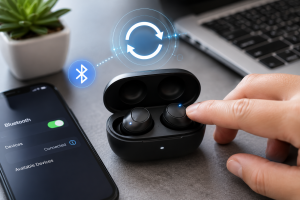
Before starting the reset process, take a few simple precautions.
Charge both earbuds and the charging case to at least 50% battery. A low battery may interrupt the reset procedure.
Next, remove the earbuds from your phone, tablet, or computer by selecting Forget Device in the Bluetooth settings. This prevents the device from trying to reconnect automatically during the reset.
Finally, read the user manual if available. While the basic process is similar across brands, some manufacturers use slightly different reset methods.
General Method to Reset Bluetooth Earbuds
Although every manufacturer has its own procedure, many Bluetooth earbuds follow a similar reset process.
Start by placing both earbuds inside the charging case.
Leave the lid open if your model requires it.
Press and hold the reset button or touch sensors for approximately 10 to 20 seconds until the LED indicator flashes. The flashing light usually signals that the earbuds have been restored to factory settings.
Remove the earbuds from the case and pair them with your device again as though they were brand new.
If your earbuds don’t reset using this method, consult your manufacturer’s instructions.
How to Reset Apple AirPods

Apple AirPods are among the easiest wireless earbuds to reset.
Place both AirPods inside the charging case and close the lid for about 30 seconds.
Open the lid again and press and hold the setup button on the back of the charging case until the status light changes color and begins flashing.
On your iPhone, open Bluetooth settings, remove the previous AirPods connection, and reconnect them.
This process often fixes pairing problems, charging issues, and synchronization errors.
How to Reset Samsung Galaxy Buds

Samsung Galaxy Buds can usually be reset through the Galaxy Wearable app.
Open the app and select your connected earbuds.
Navigate to Earbuds Settings and choose Reset Earbuds.
Confirm the reset and wait for the process to finish.
If the earbuds won’t connect, place both inside the charging case, charge them for several minutes, and then attempt the reset again.
How to Reset JBL Bluetooth Earbuds

Most JBL earbuds support manual resetting.
Place both earbuds into the charging case.
Remove them simultaneously and press the touch controls on both earbuds for several seconds until the LED lights begin flashing.
Return them to the charging case briefly before reconnecting them to your device.
The exact timing varies slightly depending on the JBL model.
How to Reset Sony Bluetooth Earbuds

Sony earbuds often use the Sony Headphones Connect app, but manual resetting is also possible on many models.
Place both earbuds into the charging case.
Press and hold the touch sensors according to your model’s instructions until the indicator lights flash.
After resetting, reconnect the earbuds through your Bluetooth settings and install any available firmware updates using the Sony app.
How to Reset Soundcore Bluetooth Earbuds

Soundcore earbuds typically include a physical reset button or touch-control combination.
Insert both earbuds into the charging case.
Press and hold the reset button or touch controls until the LEDs flash several times.
After the reset, remove the previous Bluetooth pairing from your device and connect the earbuds again.
Using the Soundcore companion app can also help check for firmware updates after resetting.
Common Problems After Resetting Bluetooth Earbuds
Occasionally, users expect a reset to solve every issue immediately. However, some problems require additional troubleshooting.
If your earbuds still won’t connect, verify that Bluetooth is enabled on your device and that the earbuds are in pairing mode.
If only one earbud works, place both earbuds back into the charging case and allow them to resynchronize before reconnecting.
When audio cuts in and out, move closer to your device and reduce interference from other nearby Bluetooth devices.
Physical damage or battery failure may also prevent successful pairing even after a reTroubleshooting Tips If Reset Doesn’t Work
If resetting your Bluetooth earbuds doesn’t solve the issue, try these additional solutions.
Clean the charging contacts using a dry microfiber cloth to ensure proper charging.
Restart your smartphone, tablet, or computer before pairing again.
Update your device’s operating system to the latest version.
Install your manufacturer’s official app and check for firmware updates.
Test the earbuds with another device to determine whether the problem lies with the earbuds or your original phone.
If the issue continues, contact the manufacturer’s support team while the earbuds are still under warranty.
How to Prevent Future Bluetooth Problems
Good maintenance habits reduce the need for frequent resets.
Store your earbuds in the charging case whenever they are not being used. This protects them from dust, moisture, and accidental damage.
Keep both the earbuds and charging case clean, especially the charging contacts.
Charge the earbuds regularly and avoid allowing the battery to drain completely for extended periods.
Install firmware updates whenever they become available, as manufacturers frequently release improvements for Bluetooth stability and battery performance.
Avoid exposing your earbuds to excessive heat, moisture, or physical impacts that could affect internal components.
Frequently Asked Questions
Will resetting Bluetooth earbuds delete everything?
A factory reset removes saved Bluetooth connections and restores the default settings. It does not usually remove firmware updates installed by the manufacturer.
Why won’t my Bluetooth earbuds reset?
Low battery, incorrect reset steps, or hardware problems are common reasons. Charge the earbuds fully and follow the manufacturer’s instructions carefully.
Can resetting fix one earbud not working?
Yes. If the issue is caused by synchronization or software glitches, resetting often restores both earbuds to normal operation.
Do all Bluetooth earbuds reset the same way?
No. While many brands follow similar procedures, each manufacturer may use different button combinations or companion apps.
How often should I reset Bluetooth earbuds?
Only reset them when you experience persistent connection or performance problems. Frequent resets are generally unnecessary if the earbuds are working properly.
Final Thoughts
Knowing how to reset Bluetooth earbuds is an essential troubleshooting skill for any wireless earbud user. Whether you’re dealing with pairing failures, audio glitches, or one earbud not working, a factory reset often provides a quick and effective solution. By following the correct reset method for your specific brand and practicing regular maintenance, you can keep your earbuds performing reliably for years to come. If a reset doesn’t solve the issue, additional troubleshooting or professional support may be necessary, especially if hardware damage is involved.