
When these problems occur, one of the most effective solutions is to reset your earbuds. A reset clears stored settings, removes old Bluetooth connections, and restores the earbuds to their factory state. In many cases, this simple action can resolve issues within minutes and get your earbuds working like new again.
In this guide, you’ll learn how to Reset Bluetooth Earbuds, as well as why resetting is important, the common problems it can fix, and finally the best troubleshooting tips to keep your wireless earbuds performing at their best.
Table of Contents
ToggleWhat Does Resetting Bluetooth Earbuds Mean?
Resetting Bluetooth earbuds is the process of restoring them to their original factory settings. During the reset, the earbuds erase saved Bluetooth pairings, customized configurations, and temporary software glitches that may be causing performance issues.
Think of it as giving your earbuds a fresh start. Once reset, they behave like a brand-new device and need to be paired again with your smartphone, tablet, laptop, or other Bluetooth-enabled devices.
Why You Might Need to Reset Your Bluetooth Earbuds
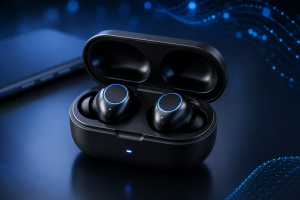
Many users don’t realize how frequently Bluetooth-related problems can be solved with a reset. Here are some common situations where resetting your earbuds is recommended.
1. Bluetooth Earbuds Won’t Pair
If your earbuds no longer appear in the Bluetooth device list or fail to connect to your phone, a reset can remove corrupted pairing information and restore connectivity.
2. One Earbud Is Not Working
A common issue among wireless earbuds is when only one side produces sound. This often happens when the earbuds lose synchronization with each other. Resetting can help them reconnect properly.
3. Audio Keeps Cutting Out
In fact, frequent disconnections or interrupted playback can result from software conflicts or Bluetooth communication errors.
4. Poor Sound Quality
For example, distorted audio, low volume, crackling sounds, or delayed audio may sometimes be fixed through a complete reset.
5. Earbuds Connect to the Wrong Device
If your earbuds automatically connect to an old phone, tablet, or laptop, resetting clears previous pairings and allows a fresh setup.
6. Charging or Syncing Problems
Some charging-related issues stem from firmware glitches rather than hardware defects. Resetting can occasionally resolve these problems.
How to Reset Bluetooth Earbuds (Universal Method)
Although every brand has its own instructions, the following method works for most Bluetooth earbuds available today.
Step 1: Place the Earbuds in the Charging Case
Insert both earbuds into their charging case and ensure they are properly seated.
Allow them to charge for a few minutes if the battery level is low.
Step 2: Remove Existing Bluetooth Connections
Open your device’s Bluetooth settings.
Find your earbuds in the paired devices list and select:
- Forget Device
- Remove Device
- Unpair Device
Removing the existing connection prevents pairing conflicts after the reset.
Step 3: Perform the Reset
Press and hold the touch sensors or physical buttons on both earbuds simultaneously.
Most earbuds require holding the controls for approximately 10–20 seconds.
Watch for signs that indicate a successful reset:
- Flashing LED lights
- Red and blue blinking indicators
- Voice prompts
- Power cycle notifications
Step 4: Wait for Restart
Release the buttons and allow the earbuds to restart automatically.
This process usually takes less than one minute.
Step 5: Pair the Earbuds Again
First, turn Bluetooth back on and search for available devices.
Next, select your earbuds from the list and complete the pairing process.
Finally, once connected, test audio playback to verify that the issue has been resolved.
How to Reset Popular Bluetooth Earbud Brands
Reset Apple AirPods
- Place both AirPods inside the charging case.
- Close the lid for 30 seconds.
- Open the lid.
- Press and hold the setup button on the back of the case.
- Continue holding until the status light flashes amber and then white.
- Reconnect the AirPods to your device.
Reset Samsung Galaxy Buds
- Open the Galaxy Wearable app.
- Select your Galaxy Buds.
- Go to Earbuds Settings.
- Tap Reset Earbuds.
- Confirm the action.
- Pair the earbuds again.
Reset JBL Earbuds
- Power on the earbuds.
- Tap one earbud three times quickly.
- Hold the final tap for several seconds.
- Wait for the LED lights to flash.
- Reconnect to your device.
Reset Sony Bluetooth Earbuds
- Place the earbuds in the charging case.
- Hold the buttons on both earbuds simultaneously.
- Wait until the LED indicators flash multiple times.
- Pair them again.
Reset Xiaomi Earbuds
- Put the earbuds inside the charging case.
- Press and hold both touch panels.
- Continue holding until the LED lights blink.
- Remove old Bluetooth pairings and reconnect.
Common Bluetooth Earbud Problems and Solutions
Even after learning how to reset Bluetooth earbuds, you may encounter occasional issues. However, here are some quick fixes.
Earbuds Won’t Enter Pairing Mode
Try these solutions:
- Fully charge the earbuds.
- Turn Bluetooth off and on.
- Restart your smartphone.
- Move away from other wireless devices.
One Earbud Has No Sound
- Return both earbuds to the charging case.
- Wait 30 seconds.
- Remove them simultaneously.
- Pair them again.
Bluetooth Connection Is Unstable
- Stay within Bluetooth range.
- Avoid walls and large metal objects.
- Update your phone’s software.
- Install the latest firmware update for the earbuds.
Earbuds Won’t Charge
Check for:
- Dirty charging contacts
- Damaged charging cables
- Low-quality chargers
- Debris inside the charging case
Clean contacts carefully using a dry microfiber cloth.
Best Practices to Maintain Bluetooth Earbuds
Resetting should not be something you need frequently. Therefore, following these habits can reduce problems and extend the life of your earbuds.
Keep Firmware Updated
Manufacturers regularly release updates that improve stability and fix bugs.
Store Earbuds in Their Case
The charging case protects against dust, moisture, and accidental damage.
Avoid Water Exposure
Unless your earbuds are waterproof, excessive moisture can damage internal components.
Clean Regularly
Earwax and dirt can block speaker openings and charging contacts.
Use Compatible Chargers
Poor-quality charging accessories can cause battery and charging issues.
When Should You Replace Your Bluetooth Earbuds?
If resetting no longer solves the problem, then your earbuds may be experiencing hardware failure.
Therefore, consider replacement if you notice:
- Furthermore, extremely short battery life
- In addition, permanent connection failures
- Moreover, physical damage
- Similarly, water damage
- Also, broken charging case
- Finally, speaker distortion that never improves
Furthermore, extremely short battery life
- In addition, permanent connection failures
- Moreover, physical damage
- Similarly, water damage
- Also, broken charging case
- Finally, speaker distortion that never improves
Modern Bluetooth earbuds typically last between two and five years depending on usage and battery health.
Frequently Asked Questions (FAQs)
How do I reset Bluetooth earbuds without a charging case?
Some models allow resets by holding the touch controls or physical buttons on both earbuds simultaneously for 10–20 seconds. However, many earbuds require the charging case for a complete factory reset.
Will resetting Bluetooth earbuds delete saved settings?
Yes. Resetting removes all paired devices and custom settings. You’ll need to reconnect the earbuds afterward.
Why is only one Bluetooth earbud working?
This usually happens when the earbuds lose synchronization. A factory reset often restores communication between the left and right earbuds.
Can resetting earbuds improve sound quality?
Yes. If poor sound quality is caused by software glitches or synchronization issues, a reset may restore normal audio performance.
How often should I reset my Bluetooth earbuds?
There is no fixed schedule. Most users only need to reset their earbuds when they experience connectivity, pairing, or audio problems.
Why won’t my earbuds reconnect after a reset?
Make sure you’ve removed the old Bluetooth profile from your device before attempting to reconnect. Also ensure the earbuds are in pairing mode.
Does resetting Bluetooth earbuds damage them?
No. A factory reset is a built-in function designed by manufacturers and is completely safe when performed correctly.
What should I do if resetting doesn’t fix the problem?
Try updating the firmware, cleaning the charging contacts, testing with another device, or contacting the manufacturer’s support team. If the issue is hardware-related,